Article content
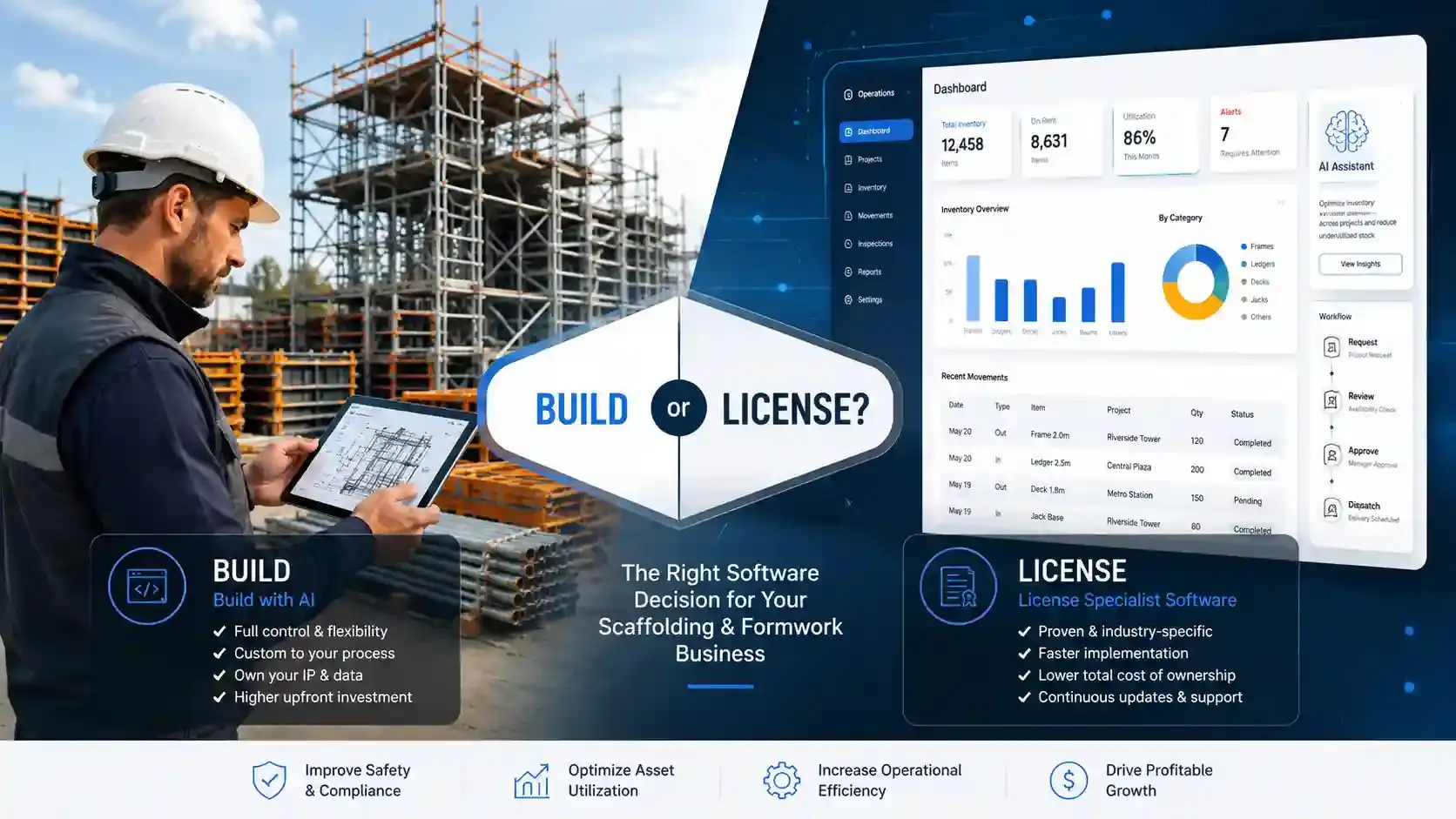
Direct Answer: Should a Scaffolding or Formwork Company Build Its Own Software With AI?
For most scaffolding and formwork companies, the safest answer is not simply "build it yourself" or "license everything forever."
The better answer is this: license reliable software for your core operations, and use AI to improve the way your business works around that software.
AI can help you prototype ideas, build small internal tools, write reports, clean data, document workflows, and test new ways of working. But replacing your main scaffolding software or formwork software with an internal AI-built system creates long-term responsibility for security, support, maintenance, data accuracy, backups, training, and product improvement.
That responsibility is often much bigger than the subscription fee you were trying to avoid.
Quick Summary for Busy Owners and Operators
Here is the practical build-vs-license answer in plain language:
- Build with AI when the workflow is unique, strategically valuable, low-risk enough to test, and backed by people who can maintain software properly.
- License specialist software when the workflow is core to daily operations, affects stock control, site records, customer visibility, inspections, reporting, or business continuity.
- Use AI around the edges for templates, reports, workflow mapping, data cleanup, training material, and small non-critical internal tools.
- Avoid building from scratch only to save a small monthly subscription, because the real cost is usually hidden in staff time, management attention, maintenance, and operational risk.
In scaffolding and formwork, software is not just a nice admin tool. It can become the system that tracks what left the yard, what changed on site, what came back, what was damaged, what was lost, and what the customer or project team can trust.
That is a serious job for a side project.
Why This Question Matters Now
A few years ago, building business software felt out of reach for most scaffolding and formwork companies.
You needed developers, designers, hosting, databases, testing, security, and a large budget before you could even see a working product.
Today, AI coding tools have changed the starting point. You can describe what you want and quickly create:
- A login page
- A project dashboard
- A customer list
- A stock table
- A delivery form
- A return workflow
- A basic report
- A mobile-friendly screen
- A prototype scaffold register
That can feel like a breakthrough.
It is easy to think:
> Why should we pay a software subscription if we can build our own system and own it?
That is a fair question. But it is only the first question.
The more important question is:
> Can we maintain, secure, support, improve, and scale this software while still running a scaffolding or formwork company?
That is where the build-vs-license decision becomes much more serious.
What Is the Difference Between Building Software and Owning Software?
Building software is creating the first working version.
Owning software is being responsible for everything that happens after that first version goes live.
That includes:
- Fixing bugs
- Updating frameworks and dependencies
- Managing hosting and uptime
- Protecting user accounts
- Setting permission levels
- Backing up business data
- Restoring data when something goes wrong
- Training staff
- Handling support requests
- Building new reports
- Maintaining mobile compatibility
- Improving performance as usage grows
- Responding to security issues
- Documenting how the system works
- Making sure the system still fits the business in two, five, and ten years
This is the part many companies underestimate.
A prototype is exciting. A production system is responsibility.
Why Scaffolding and Formwork Software Is Not Just a Simple Database
A scaffolding or formwork company does not only need a list of jobs and a list of materials.
It needs a system that reflects how work actually moves between yard, site, office, customer, and management teams.
That can include:
- Project setup
- Customer details
- Quotes and approvals
- Yard picking
- Partial deliveries
- Back orders
- Shortages
- Site receipts
- Site-to-site transfers
- Damaged equipment
- Lost equipment
- Return notes
- Scaffold registers
- Inspections
- Handover records
- Photos and files
- User permissions
- Customer portals
- Reporting
- Audit trails
- Management visibility
A generic system may look good during a demonstration. The real test is what happens when the day becomes messy.
For example:
- A truck leaves the yard with a partial delivery.
- The site receives less than expected.
- A supervisor updates the return from a phone.
- The customer disputes a missing item.
- The office needs proof.
- Management wants to know whether the loss came from operations, admin, or commercial control.
That is not just a database problem. That is an operational workflow problem.
What Are the Pros of Building Your Own Software With AI?
Building your own system is not automatically a bad idea. There are real advantages, especially when the problem is specific and strategically valuable.
You Can Build Around Your Exact Workflow
Every scaffolding and formwork company operates differently.
Some companies focus on industrial access. Some work heavily in residential. Some manage long-term maintenance contracts. Some run multiple yards. Some have complex formwork cycles. Some care most about estimating, while others care most about inventory control.
Building your own software allows you to design around your exact way of working.
That can be powerful if your workflow is genuinely different from what existing software can support.
You Can Prototype Ideas Quickly
AI is excellent for early-stage exploration.
You can use it to create mockups, draft database structures, generate forms, test dashboard ideas, and experiment with simple workflows before you commit to a full system.
This matters because many businesses do not fully understand what they need until they see something on screen.
Research on GitHub Copilot found that developers using an AI pair programmer completed a specific coding task 55.8% faster than the control group. That does not mean AI can replace a software team, but it does show why AI is so useful for speeding up certain development tasks. Read the study on arXiv.
You May Create a Competitive Advantage
Custom software can create value if it solves a problem that is unique to your business.
Examples could include:
- A custom estimating engine
- A specialist formwork planning tool
- A stock forecasting model
- A unique customer reporting dashboard
- A commercial approval workflow
- A custom integration between operations, finance, and project teams
- A machine-learning model that predicts shortages or return discrepancies
If the software improves decisions, reduces losses, increases speed, or gives your customers a better experience, it may become a real asset.
You Control the Roadmap
When you license software, you rely on the vendor's product roadmap.
When you build your own system, you can decide what gets built next.
That can be attractive if you have urgent needs, unusual workflows, or a strong internal operator who knows exactly what the business requires.
You Own the Intellectual Property
If your system becomes valuable, you own it.
That may matter if the software becomes part of your company's operational advantage or if you eventually decide to turn it into a separate business.
But that possibility comes with a separate set of commercial and trust challenges, especially if you plan to sell software to other scaffolding or formwork companies.
What Are the Cons of Building Your Own Software With AI?
The main downside is not that AI cannot help build software.
The main downside is that software ownership creates long-term obligations that many non-software companies are not set up to manage.
You Still Need Someone Who Understands Software
AI can generate code, but someone still needs to understand whether that code is safe, reliable, scalable, and maintainable.
That person needs to know:
- Whether the database is structured correctly
- Whether the permission model is secure
- Whether backups actually work
- Whether reports are calculating correctly
- Whether the hosting setup is reliable
- Whether the system can handle more users
- Whether sensitive information is properly protected
- Whether the system can be restored after failure
The risk is not only that the software breaks.
The bigger risk is that it breaks quietly.
A report could double-count stock. A return note could save to the wrong project. A permission rule could expose data to the wrong person. A deleted record could remove the audit trail.
Those are operational risks, not just technical issues.
AI-Generated Code Still Needs Human Review
AI coding tools are useful, but they are not automatically trustworthy.
The 2025 Stack Overflow Developer Survey found that more developers actively distrusted the accuracy of AI tools than trusted them, with 46% distrusting accuracy compared with 33% trusting it. Only a small percentage reported high trust. View the Stack Overflow AI survey.
That does not mean AI should be avoided.
It means AI output should be reviewed, tested, and governed by people who understand the consequences of software failure.
Security Becomes Your Responsibility
Once your operational data sits inside your own software, you become responsible for protecting it.
That can include:
- User access
- Password security
- Permission levels
- Audit logs
- Database security
- Hosting security
- API security
- File upload controls
- Backup security
- Data restoration
- Encryption
- Security patching
- Staff access after resignations
- Customer data separation
- Incident response
NIST's Secure Software Development Framework explains that secure development requires deliberate practices across the software lifecycle, including preparing the organisation, protecting software, producing well-secured software, and responding to vulnerabilities. Explore the NIST SSDF.
That is a lot to manage if your core business is scaffolding or formwork.
AI Adds Its Own Risk Layer
When AI is used in software development or connected directly into business workflows, it introduces extra risks.
The OWASP Top 10 for Large Language Model Applications highlights risks such as prompt injection, sensitive information disclosure, insecure outputs, supply chain weaknesses, excessive agency, and overreliance. See the OWASP LLM Top 10.
In practical terms, this means:
- AI systems can be manipulated by unexpected inputs.
- AI-generated code can include insecure patterns.
- AI-connected tools can expose sensitive business information.
- Users can trust AI output more than they should.
- AI agents can take actions without enough control if badly designed.
AI is powerful. It still needs boundaries.
Maintenance Does Not Stop After Launch
The first working version may take two months.
The maintenance can last for years.
After launch, someone still needs to handle:
- Bug fixes
- Staff questions
- New feature requests
- Browser changes
- Mobile issues
- Hosting failures
- Data corrections
- Permission changes
- Security patches
- Report requests
- Integrations
- Training
- Documentation
- Backups
- Disaster recovery
This is where the cost model changes.
At the start, you may think you are avoiding a software subscription. In reality, you may be replacing a predictable subscription with an unpredictable internal responsibility.
Your Best People May Get Pulled Away From the Business
The person who understands your operations well enough to help build the software is probably one of your most valuable people.
It may be the owner, operations manager, yard manager, contracts manager, or someone in the office who knows how everything really works.
Now that person is spending time:
- Explaining workflows to AI
- Testing screens
- Checking reports
- Fixing bad data
- Prioritising feature requests
- Training staff
- Investigating errors
- Managing the person or tool that maintains the system
That time has a cost.
Even if no invoice is paid, the business is still paying through distraction, slower decision-making, weaker customer follow-up, and less time spent growing the company.
What Are the Pros of Licensing Specialist Scaffolding or Formwork Software?
Licensing software also has real advantages, especially when the system supports daily operations.
The Product Already Exists
A specialist software product has already gone through many painful stages before you start using it.
That usually includes:
- Early prototypes
- User feedback
- Bug fixes
- Workflow changes
- Security improvements
- Product documentation
- Support processes
- Onboarding improvements
- Reporting updates
- Real-world customer use
You are not just paying for code. You are paying for the accumulated learning behind the product.
The Vendor's Core Business Is Software
A scaffolding company's core business is scaffolding.
A formwork company's core business is formwork.
A software company's core business is software.
That difference matters.
The vendor's job is to improve the system, support users, monitor product issues, keep the platform updated, respond to customer feedback, and make the software more useful over time.
CloudScaff, for example, describes itself as a SaaS platform built for scaffolding and formwork companies to document, track, and manage operations including leads, projects, inventory, and field workflows. It also states that the platform is updated regularly based on workflow improvements and customer feedback. View the CloudScaff overview.
You Get Updates Without Rebuilding the System Yourself
Software is never truly finished.
Devices change. Browsers change. Security risks change. Reporting needs change. Business expectations change. AI tools change. Customer requirements change.
A good software subscription should include ongoing improvement so your business does not need to rebuild everything internally.
You Reduce Operational Risk
When you license software, the vendor usually carries much of the responsibility for:
- Hosting
- Maintenance
- Product updates
- Core feature development
- Bug fixing
- Documentation
- Platform reliability
- Security improvements
- User experience improvements
- Customer support
Your business still needs to implement the system properly. You still need clean data, trained staff, and disciplined processes.
But you are not starting from a blank screen.
You Benefit From Other Customers' Feedback
This is one of the strongest arguments for specialist software.
A product used by many companies improves from many different real-world situations.
One company exposes a better way to handle returns. Another needs better reporting. Another finds a permissions issue. Another wants improved mobile workflows. Another needs stronger customer visibility.
Over time, the product becomes stronger because many users are pushing against it from different angles.
If you build internally, you only learn from your own business.
That can be useful, but it can also limit your view.
What Are the Cons of Licensing Software?
Licensing software is not perfect. A neutral build-vs-buy decision should be honest about the downsides.
You Pay a Subscription
The most obvious downside is the monthly or annual fee.
That cost can feel frustrating when margins are tight. It is easy to look at a subscription and think the business could build something cheaper.
Sometimes that may be true.
But the subscription should be compared against the total cost of building, maintaining, supporting, securing, and improving your own software. It should not be compared only to the cost of an AI subscription.
The Software May Not Match Your Workflow Perfectly
No off-the-shelf system will match every habit inside your business.
Your team may need to adjust how it works.
Sometimes that is a downside. Sometimes it is exactly what the business needs.
A company may believe it needs custom software when the real problem is an inconsistent process.
Vendor Lock-In Is a Real Concern
If your business data sits inside a vendor's system, you should ask serious questions before committing.
Useful questions include:
- Can we export our data?
- What happens if we cancel?
- Who owns the data?
- How are backups handled?
- How are permissions controlled?
- What support is included?
- What happens if pricing changes?
- What happens if the product roadmap changes?
- What happens if the vendor is acquired or shuts down?
These are fair questions.
A good vendor should be willing to answer them clearly.
You Do Not Fully Control the Roadmap
When you license software, you can request features, but you cannot fully control what the product team builds next.
That can be frustrating if you have a very specific workflow or urgent requirement.
This is why vendor selection is not only about features. It is about the team, support culture, product direction, and willingness to understand the industry.
What Does the Real Cost Comparison Look Like?
The wrong comparison is:
> AI subscription versus software subscription.
The better comparison is:
> Total cost of ownership versus total cost of ownership.
Cost Categories When You Build With AI
If you build your own system, the true cost may include:
- AI subscriptions
- Development tools
- Hosting
- Database services
- File storage
- Backups
- Security tools
- Developer time
- Owner or manager time
- Testing
- Training
- Documentation
- Data migration
- Bug fixing
- Integrations
- Support
- Downtime risk
- Future rebuilds
- Opportunity cost
The biggest cost is often the one that does not appear on a software invoice: your team's time.
Cost Categories When You License Software
If you license specialist software, the cost may include:
- Monthly or annual subscription
- Setup time
- Staff training
- Data import
- Internal process changes
- Possible integrations
- Ongoing usage discipline
- Vendor dependency
Licensing usually makes the cost more visible. Building often hides the cost inside staff workload.
Visible cost is not always bigger. Hidden cost is not always smaller.
How Does CloudScaff Pricing Compare With Building Your Own System?
At the time of writing, CloudScaff's public pricing page lists monthly plans based on active project capacity. Paid monthly plans range from Lite at $70 per month for up to 10 active projects to Pro Plus at $460 per month for up to 200 active projects, with a Free tier and custom Enterprise pricing also listed. Check the current CloudScaff pricing page.
| Plan | Active projects | Monthly price |
|---|---|---|
| Free | 3 | $0 |
| Lite | 10 | $70 |
| Essential | 20 | $130 |
| Premium | 50 | $240 |
| Pro | 100 | $350 |
| Pro Plus | 200 | $460 |
| Enterprise | Unlimited | Custom |
This does not automatically mean licensing is always better.
But it gives a useful comparison point.
If a company is considering building its own scaffolding software or formwork software to avoid a subscription, it should ask:
- How many hours per month will we spend maintaining our own system?
- Who will fix the system when something breaks?
- Who will secure it?
- Who will back it up?
- Who will train new users?
- Who will check whether reports are accurate?
- What is the cost of one stock dispute caused by bad data?
- What is the cost of one week of distracted management time?
- What happens if the person who built the system leaves?
- What happens when the AI-generated code becomes too complex for us to understand?
A subscription is easy to see. Internal time is easier to ignore.
That does not make it free.
Could a Scaffolding Company Build Software and License It to Competitors?
Yes, it is possible.
Some great software products started as internal tools.
But in scaffolding and formwork, this path has a major trust challenge.
Would you license software from a competitor if you believed they might have access to your customer data, pricing, project activity, stock levels, site records, or operational performance?
Some companies might. Many would not.
To sell software seriously to other companies, the internal tool would likely need to become a separate software business with:
- Clear legal separation
- Strong data privacy policies
- Independent infrastructure
- Proper access controls
- Customer agreements
- Support staff
- Product documentation
- Security processes
- Service expectations
- Onboarding workflows
- A real product roadmap
- A professional sales and customer success function
At that point, you are no longer just a scaffolding or formwork company with internal software.
You are building a software company.
That may be a great strategy for the right business, but it should be treated as a serious new venture, not a side project.
What Happens When Something Goes Wrong?
Software always feels simple when it is working.
The real test comes when something breaks.
A Delivery Record Disappears
A truck leaves the yard. The delivery is captured. Later, the site says the delivery was incomplete. The office checks the system, but the record is missing or corrupted.
Who investigates the database? Who restores the backup? Who confirms whether it was user error, software error, or process error?
A Report Is Wrong
Management relies on a report showing stock on site, damaged returns, lost equipment, or project profitability.
The report looks professional, but the calculation is wrong.
How long would it take to notice? How many decisions would be made before someone catches it?
The System Goes Down on a Busy Morning
The yard team cannot issue stock. The site team cannot confirm receipt. The office cannot access project records.
Who brings the system back online? Who communicates with users? Who checks whether data was lost?
An Employee Has Too Much Access
A user can see customer, pricing, or project information they should not see.
Who audits the permissions? Who fixes the access model? Who confirms what was viewed?
The Person Maintaining the System Leaves
The internal champion resigns, gets promoted, becomes too busy, or moves to another company.
Who understands the code? Who understands the database? Who knows how to deploy updates? Who knows where the backups are?
These are the questions that separate an exciting prototype from dependable operational software.
Why Recordkeeping and Compliance Make This Decision More Important
Scaffolding and formwork companies often operate in environments where safety documentation, site records, and accountability matter.
Rules vary by country and region, but the principle is consistent: records need to be accurate, available, and trustworthy.
For example, UK Health and Safety Executive guidance says a scaffold used for construction should be inspected before first use, every seven days until removed, and after conditions likely to cause deterioration, such as adverse weather or substantial alteration. Read the HSE guidance.
In the United States, OSHA has a dedicated construction scaffold standard under 29 CFR 1926 Subpart L. View OSHA 1926 Subpart L.
This matters because software in a scaffolding business may support:
- Inspection records
- Site instructions
- Handover documents
- Scaffold registers
- Asset movement history
- Damage records
- User accountability
- Customer communication
- Audit trails
If your software is used to support operational or compliance-related records, the bar is higher than "the app works on my laptop."
You need confidence that the data is complete, accurate, traceable, secure, and recoverable.
What Other AI Use Cases in Construction Teach Us
AI is already being used in practical ways across construction, scaffolding, and formwork.
A useful example is AI-assisted counting of scaffold and formwork materials. Doka reported that its AI Counting and Identification system had been used more than 40,000 times, counting over 1.5 million items with accuracy above 98%, including heavily used rental materials and construction-environment conditions. Read Doka's AI counting release.
That is exciting because it shows where AI can be very valuable:
- Repetitive visual checking
- Counting returns
- Identifying components
- Reducing manual effort
- Improving operational speed
- Supporting yard teams with better data capture
But it also shows the important distinction.
AI can be extremely useful inside a well-designed operational process. That is different from asking AI to replace the whole software foundation of your business.
The best AI strategy may be to apply AI to specific, high-value workflows while keeping the core system stable, structured, and professionally maintained.
What Should AI Be Used for in a Scaffolding or Formwork Business?
AI can create real value without becoming your entire operational system.
Process Mapping
Use AI to document how your business currently handles:
- Leads
- Quotes
- Project setup
- Yard picking
- Deliveries
- Site receipts
- Site transfers
- Returns
- Damages
- Inspections
- Customer updates
- Invoicing handover
- Reporting
This is valuable before buying or building software because it helps you understand your own workflow clearly.
Templates and Standard Operating Procedures
AI can help draft:
- Site instruction templates
- Customer email templates
- Return process documents
- Internal SOPs
- Training guides
- Onboarding material
- Inspection checklist wording
- Meeting agendas
- Toolbox talk drafts
- Change management documents
These are low-risk, high-value uses.
Data Cleanup and Reporting Support
AI can help review, summarise, and structure:
- Site notes
- Customer requests
- Emails
- Delivery disputes
- Operational feedback
- Meeting notes
- Support tickets
- Spreadsheet exports
This can improve decision-making without making AI the official system of record.
Prototyping Before Asking a Vendor
AI can help you mock up a feature before you request it from a software vendor.
For example:
- A dashboard for damaged returns
- A report for missing stock by project
- A workflow for yard-to-site transfers
- A permission structure for yard, site, office, management, and customer users
- A stock exception report
- A customer-facing summary page
This helps you communicate clearly and reduces confusion during software implementation.
Small Internal Tools
AI can also help build small tools that do not carry major operational risk.
Examples include:
- Simple calculators
- CSV formatting tools
- Training quizzes
- Data cleanup scripts
- Document naming tools
- Non-critical dashboards
- Internal checklists
These are good places to experiment because the downside is limited.
When Does Building Your Own Software Make Sense?
Building your own software may make sense when several of these conditions are true:
- The workflow is genuinely unique.
- Existing software cannot solve the problem.
- The opportunity is strategically important.
- The value is much larger than the development and maintenance cost.
- You have access to skilled technical people.
- You can maintain the system long term.
- You have a security and backup plan.
- You are willing to document everything.
- You can survive if the first version fails.
- You are not building only to avoid a small subscription.
- The software could create a real competitive advantage.
- You are prepared to operate like a software company in that area.
A good reason to build is:
> This system creates strategic value that no available product can give us.
A weak reason to build is:
> We want to save a few hundred dollars a month.
When Does Licensing Software Make More Sense?
Licensing specialist scaffolding software or formwork software usually makes more sense when:
- The workflow is common across the industry.
- The software already solves most of the problem.
- You need the system quickly.
- You do not have internal technical capacity.
- You want support.
- You want regular updates.
- You want lower operational risk.
- You want predictable cost.
- You need your team focused on scaffolding or formwork.
- You do not want to manage security, hosting, maintenance, and backups.
- The subscription is small compared with the cost of internal distraction.
A good reason to license is:
> This is an important operational system, but building it from scratch is not our unique competitive advantage.
What Is the Best Middle-Ground Approach?
For many companies, the strongest strategy is a hybrid approach.
License the Core System
Use specialist software for workflows that need structure, reliability, and accountability:
- Inventory
- Projects
- Deliveries
- Returns
- Site records
- Inspections
- Documents
- Permissions
- Reporting
- Customer visibility
- Operational history
Use AI Around the Edges
Use AI to improve the work around the system:
- Templates
- Reports
- Training material
- Workflow mapping
- Data cleanup
- SOPs
- Feature mockups
- Communication drafts
- Internal analysis
Build Only Where It Creates Real Advantage
Build custom tools when the use case is specific, valuable, and maintainable.
That gives you the best of both worlds: the stability of licensed software and the flexibility of AI-assisted improvement.
Build vs License Decision Framework
Use this table as a practical decision guide.
| Question | Build with AI may be better if... | Licensing may be better if... |
|---|---|---|
| Is the workflow unique? | It is specific to your competitive advantage. | It is a standard operational need. |
| Do you have technical skills? | You have internal or retained software expertise. | You do not want to manage code, hosting, security, and backups. |
| How quickly do you need it? | You can test slowly and accept mistakes. | You need a reliable system soon. |
| What happens if it fails? | Failure is low-risk and recoverable. | Failure affects stock, site records, customers, safety, or reporting. |
| Is the cost really lower? | You have calculated the full maintenance cost. | The subscription is cheaper than internal time and risk. |
| Will it need regular updates? | You have a long-term maintenance plan. | You want the vendor to handle ongoing improvement. |
| Is this your core business? | You want to become partly a software business. | Your core business is scaffolding or formwork. |
| Could it become intellectual property? | The software itself may become a valuable asset. | The software is mainly an operating tool. |
The Honest Opinion
AI is incredible.
It will change how scaffolding and formwork companies operate. ;It will help owners analyse data, reduce admin, improve communication, build reports, train staff, and prototype ideas faster than ever before.
But AI does not remove the responsibility that comes with owning software.
It makes the first version easier. It does not make maintenance disappear. It does not automatically secure your data. It does not guarantee clean reports. It does not train your staff. It does not replace product support. It does not fully understand the messy reality of yard, site, delivery, return, inspection, damage, customer, and office workflows.
The honest view is this:
Most scaffolding and formwork companies should license reliable software for core operations and use AI to enhance the way they work.
Build your own software only when the reward is large enough to justify the responsibility.
Do not build simply because the first demo looks impressive. Do not build only to avoid a subscription. Do not build unless you understand the long-term cost of supporting what you create.
For most businesses, the better commercial decision is to keep the team focused on winning work, serving customers, controlling stock, reducing losses, improving safety, and growing the company.
Software should support that mission.
It should not quietly become another business you now have to run.
Frequently Asked Questions
Can AI build scaffolding or formwork software?
Yes. AI can help build prototypes, dashboards, forms, reports, scripts, and small internal tools. But AI-generated software still needs technical review, testing, security controls, backups, documentation, and long-term support.
Is building your own software cheaper than licensing software?
Sometimes, but not always. Building can look cheaper at first because the visible cost may be only an AI subscription and internal time. The real cost includes hosting, maintenance, security, support, testing, training, data migration, bug fixing, and opportunity cost.
When should a scaffolding company build its own software?
A scaffolding company should consider building when the workflow is unique, the value is strategic, existing tools cannot solve the problem, and the company has the technical ability and budget to maintain the system properly.
When should a scaffolding company license specialist software?
Licensing usually makes sense when the workflow is operationally important but not unique enough to justify building from scratch. Inventory, site records, deliveries, returns, inspections, permissions, and reporting often benefit from reliable specialist software.
Can a scaffolding company sell its internal software to competitors?
Yes, but it is difficult. Competitors may worry about data access, confidentiality, and competitive risk. To sell software seriously, the company would likely need a separate software business with proper security, legal agreements, support, data separation, and product governance.
What is the best approach for most scaffolding and formwork companies?
For many businesses, the best approach is hybrid: license the core operational system, use AI to improve workflows and reporting, and build custom tools only where they create a clear competitive advantage.
Sources and Further Reading
- CloudScaff pricing
- CloudScaff scaffold management software overview
- NIST Secure Software Development Framework
- OWASP Top 10 for Large Language Model Applications
- Stack Overflow 2025 Developer Survey: AI
- The Impact of AI on Developer Productivity: Evidence from GitHub Copilot
- UK HSE work at height scaffold inspection guidance
- OSHA 1926 Subpart L: Scaffolds
- Doka AI Counting and Identification
Conclusion
AI gives scaffolding and formwork companies more power than ever to improve how they work.
But the best use of that power is not always to rebuild the core software system from scratch.
For most companies, the practical answer is to license dependable scaffolding or formwork software for daily operations, then use AI to make the business sharper, faster, and more efficient around it.
That balance gives you control without taking on unnecessary software risk.