
What is available in the yard right now?
Inventory management for scaffolding & formwork
Know what stock is in the yard, on site, and moving
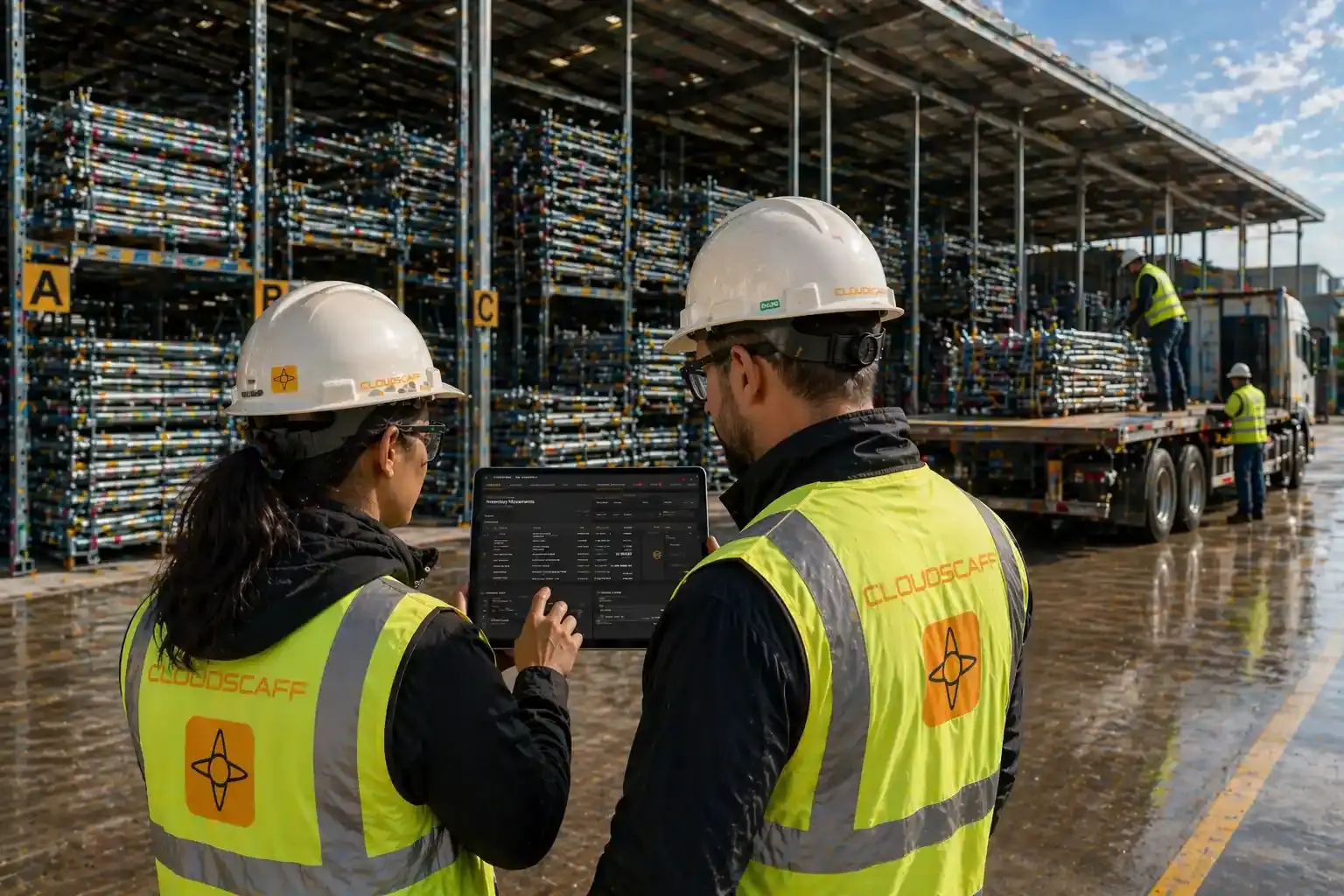
CloudScaff gives scaffolding and formwork teams one live view of yard stock, site stock, deliveries, transfers, returns, and reconciliation.
Fast rollout. No spreadsheets.
No credit card required
•Onboarding, training, and support included
The problem
Inventory gets messy when every team sees a different version of thetruth.
As your operation grows, it becomes harder to answer simple questions:
What has already been sent to site?
What is still out and hasn't come back?
What was delivered vs what was planned?
Delayed jobs
Unexpected costs
Stock shortages
The Reality
Stock tracking is easy. Real visibility isn't.
You don't need more data. You need insight, clarity and simplicity.
- What's available
- What's in use
- What's been delivered
- What's been returned
- What's in maintenance
- What's damaged
The solution
A clearer way to control scaffold and formworkinventory.
Answer the same questions, with real visibility across yard, site, and stock movement.
Live stock counts
Accurate stock in real time
Tracked stock movement
From yard to site and back
Clear site visibility
See what's out, where it is
One source of truth. Everyone works from the same numbers.
Know what's actually available
Know what is free in the yard, what is in use, and what is already allocated.
Track what's been sent to site
Every delivery is recorded so you know exactly what left the yard.
Know what's still out
Keep visibility on what hasn't come back, across every site.
Compare planned vs delivered
See what was supposed to go out vs what actually did.
Workflow
From site to yard, yard to site and back again
Follow every request, delivery, return, and reconciliation in one connected flow.
- 01
Site requests material
Site teams submit what inventory they need through a request form.
- 02
Yard creates the delivery
The yard converts the requests into deliveries and releases the stock.
- 03
Site receives the delivery
Site teams receive their inventory through the system.
- 04
Site returns to yard
Material returned from site, the inventory balance automatically updates.
- 05
Sort and reconcile
Items are sorted into yard stock or recorded as damaged, lost, or scrap.
One connected process from request to return, with every movement accounted for.
We stopped guessing what was on site. Reconciliation that used to take three days at month-end now happens continuously, and our loss numbers dropped sharply in the first quarter.
System capabilities
Featurebreakdown
Tools behind live yard, site, delivery, return, and reconciliation visibility.
A live view of stock state across the business so teams can allocate equipment with confidence and avoid preventable shortages.
- Available Assets
- Assets in Reserve
- Assets in Transfer
- Assets In-Use
- Assets In-Maintenance
- +4 more
Every addition, removal, sale, repair, loss, return, and disposal is recorded with a proper operational audit trail.
- Adding Assets
- Removing Assets
- Selling Assets
- Repairing Assets
- Damaged Assets
- +5 more
Track where assets are, what quantities are on hand, and which materials are currently being delivered or returned.
- Location and quantity
- Out for delivery
- In transfer
- On return
- In maintenance
- +3 more
Generate the operational paperwork that ties inventory movement, site instructions, and handovers together.
- Asset Request
- Asset Returns
- Asset Transfers
- Instructions
- Picklist
- +3 more
Operate multiple storage locations as one connected network without losing local stock visibility.
- Multiple Storage Locations
- Yard-to-Yard Inventory View
- Yard-to-Yard Transfers
- Cross-Yard Asset Search
- Location-Based Stock Levels
- +1 more
Handle high-volume stock actions faster with grouped updates, counts, and reconciliation workflows.
- Bulk Update
- Stock Counting
- Reconciliations
- Cycle Counts
- Selling Inventory
- +2 more
Manage outbound fulfillment against demand so backordered items can still be delivered as stock becomes available.
- Deliver from Backorders
- Split Deliveries
Organize stock into clean groupings so teams can filter, find, and work with similar assets faster.
- Group Similar Assets
- Sort by Asset Type
- Asset Filtering
- Easy Asset Finding
Outcomes
What changes when you get control ofinventory
The payoff comes in sequence. First the yard stops guessing, then deliveries, sites, and planning start running from the same live view.
From first rollout to shared control
One connected workflow. Five gains that build on each other.
The first win is clarity in the yard. The next wins compound across deliveries, sites, and reconciliation.
End state
Fewer handoff errors, clearer stock decisions, and one system the whole team can trust.
- 01
Less time spent checking stock
Availability is visible without chasing spreadsheets, calls, or manual checks.
- 02
Fewer mistakes on deliveries and returns
Every movement is easier to verify, so what leaves and what comes back stays clearer.
- 03
Better visibility across sites
Teams can see what is allocated, what is out, and where inventory is being used.
- 04
More confidence in your numbers
Live records make planning, replenishment, and reporting easier to trust.
- 05
One team working from the same system
Yard, site, and operations stop reconciling separate versions of the truth.
Pricing
Pricing by active site capacity
Choose the number of active sites you need. Start free with up to 3 sites, with unlimited users on every plan.
Pricing
Free
$0 total per month
$0
per site / month
- Unlimited Users
- Free Onboarding
- Free Training
Start Free
Free for up to 3 active sites
200+ sites? Contact us about Enterprise
FAQ
Common questions
What yard managers, site teams, and operations leaders ask before rollout.
Can we keep our existing barcoding or tagging system?
Yes. Inventory Management works with QR, barcode, and RFID tags. If you already tag at the bay or pallet level, you can carry that scheme over without rework.
How long does an initial yard count take?
Most teams complete the first full count in a single weekend by working bay by bay with the mobile app. After that, ongoing accuracy is maintained through movement records rather than periodic recounts.
Does it support multiple yards and branches?
Yes. Each yard or branch has its own stock view, with transfer workflows that keep both ends of the move in sync. Head office sees the full consolidated picture.
How are damaged and lost assets handled financially?
Damaged stock moves into a maintenance pool, and lost stock is recorded against the responsible site or project so that costs can be allocated and recovered where applicable.
Can my team start using it without a long training programme?
The yard-floor workflows are designed for crews who do not sit at desks — receive, dispatch, transfer, and return are each a short sequence of taps. Most operators are productive on day one.
Next step
Get control of your scaffold and formwork inventory
See how CloudScaff helps your team track stock across yard, site, and operations without the confusion.