
Explore CloudScaff

From yard to site. See the workflow.

Explore how inventory, scaffold records, and field documentation connect within CloudScaff.

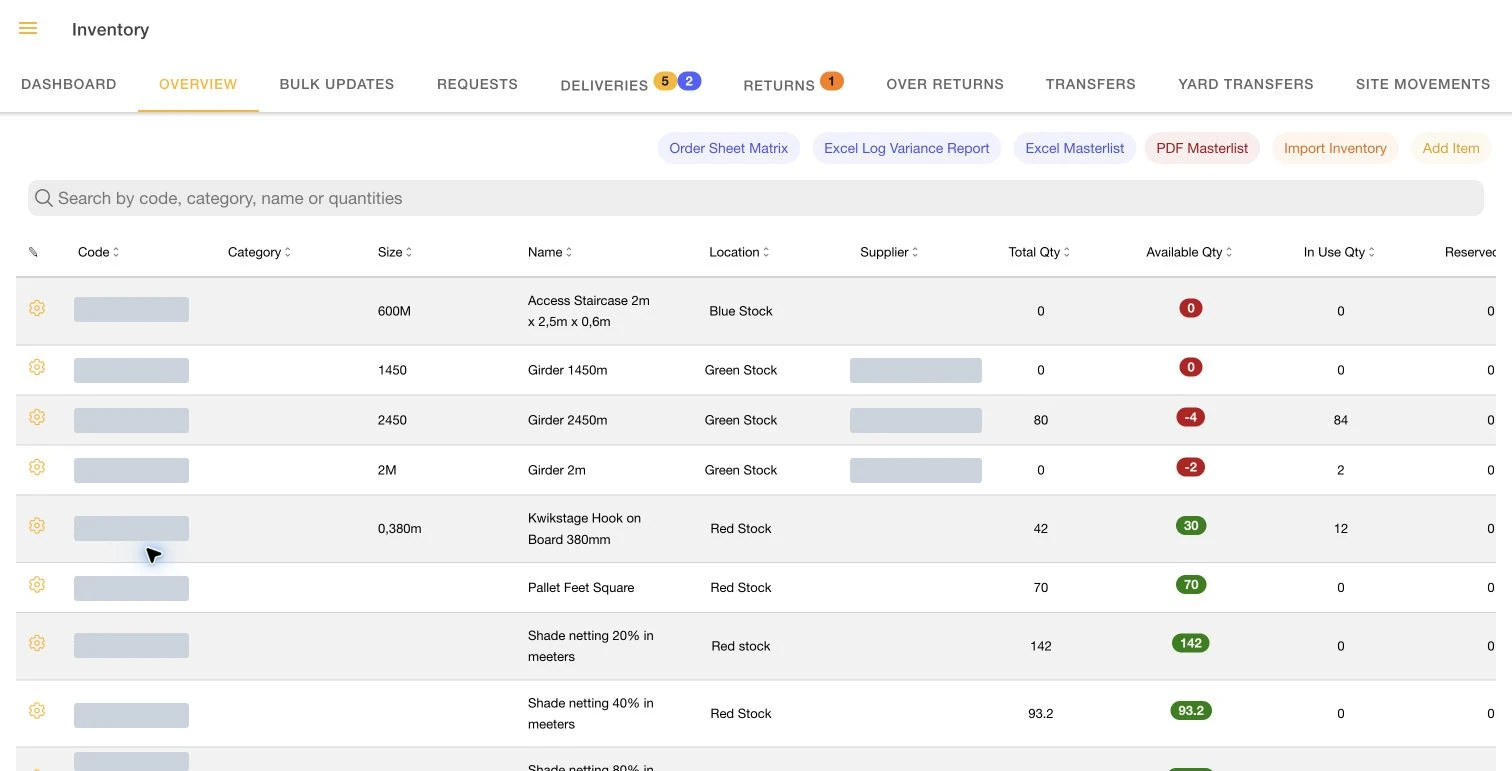
Inventory balances

Know what is available

Check equipment quantities by yard and site before organising the next movement.

Inventory balancesSample data
Illustrative layout · not an application screenshot
ItemYardOn site
Standard 2 m240160
Ledger 1.5 m180120
Base jack9664
  1. Find the item and location.
  2. Review available quantities and stock conditions.
  3. Follow the movement history behind a balance.
Explore this workflow →

Deliveries and returns

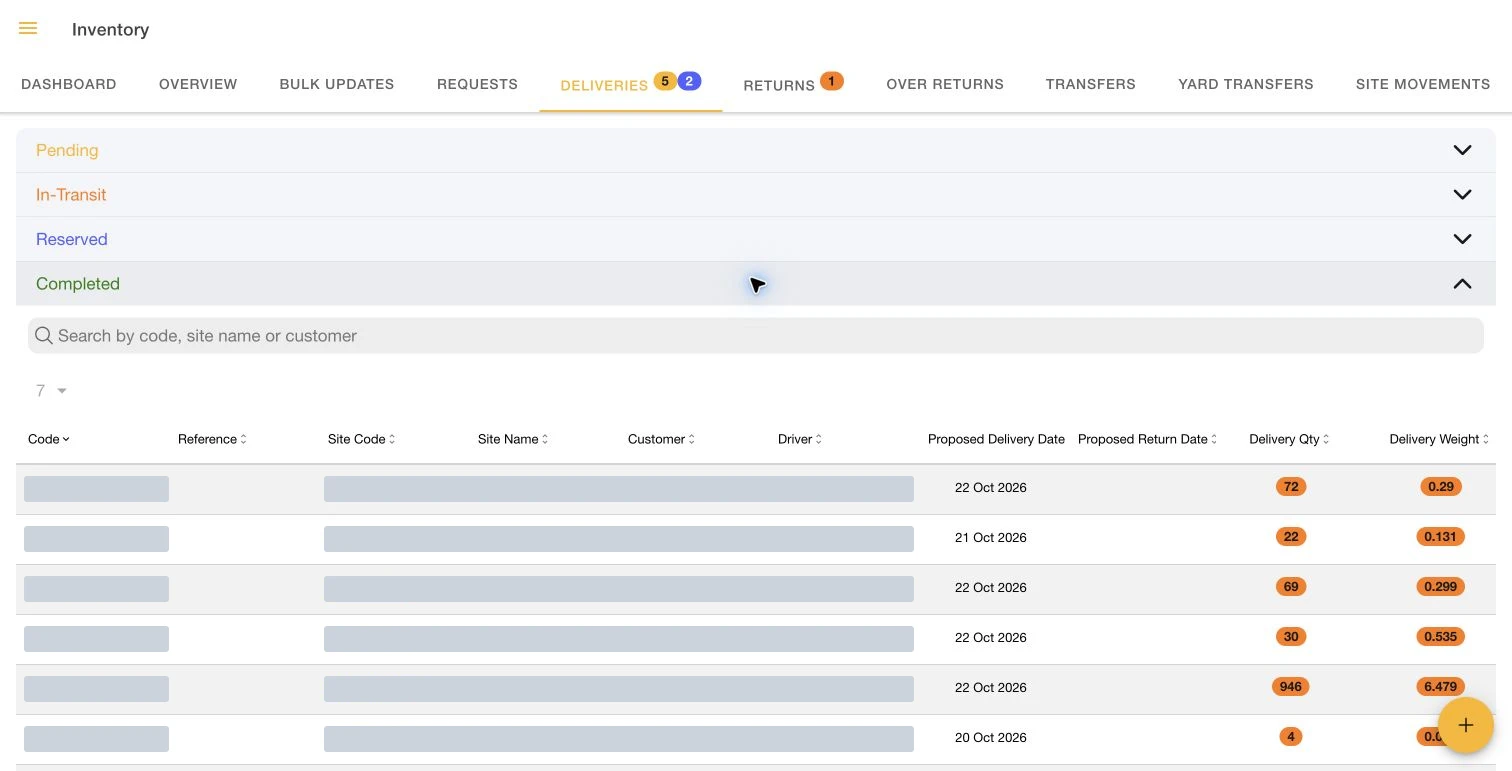
Follow equipment out and back

Keep dispatch, receipt, and return records connected to the equipment on each project.
Deliveries and returnsSample data
Illustrative layout · not an application screenshot
ReferenceMovementStatus
DEL-0104North Yard → Site AReceived
RET-0038Site A → North YardReview
TRF-0012Site A → Site BRecorded
  1. Record the items and quantities being delivered.
  2. Capture receipt against the movement.
  3. Review return differences and equipment condition.
Explore this workflow →

Scaffold register

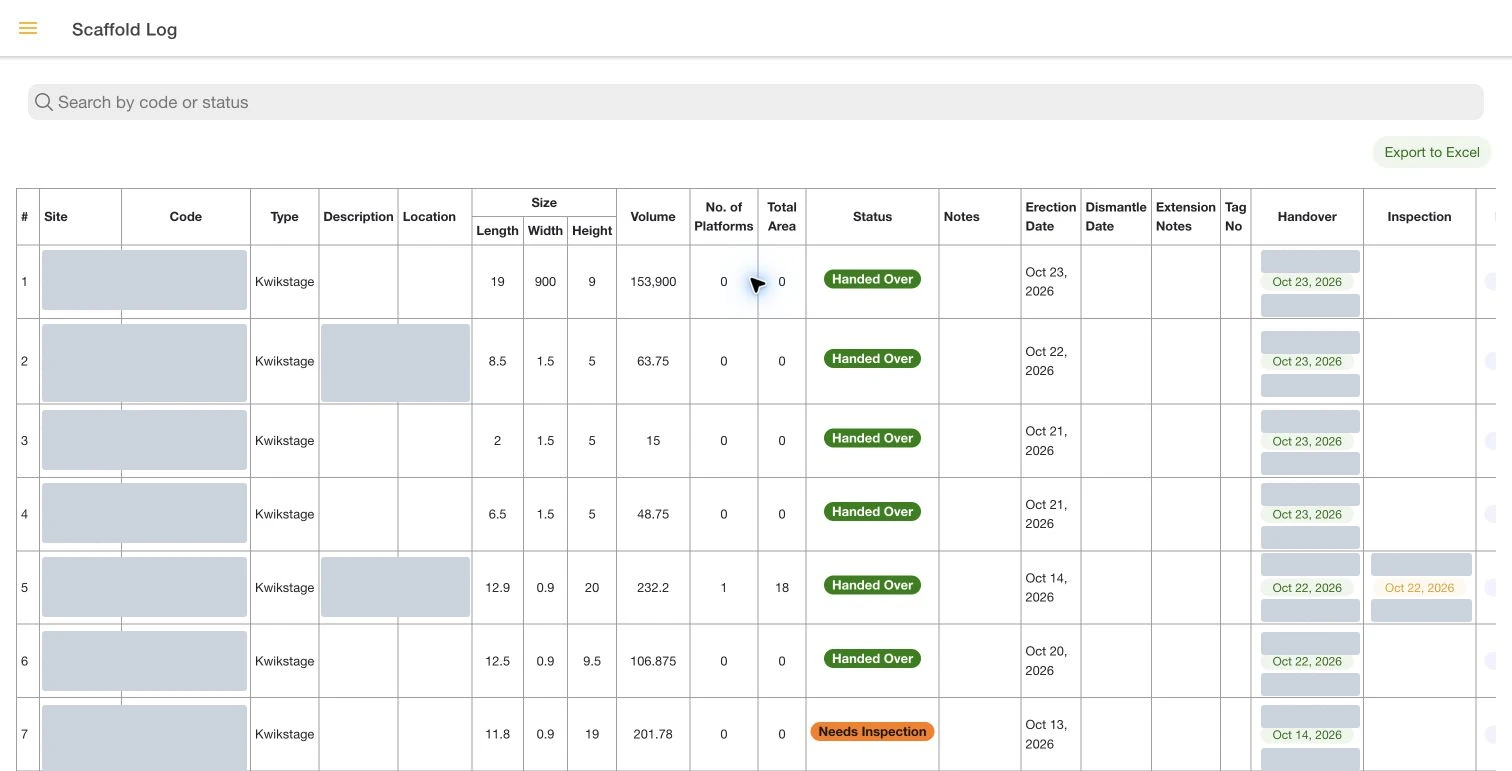
Find the right scaffold

Keep individual structures, their locations, and their operational records together.
Scaffold registerSample data
Illustrative layout · not an application screenshot
ScaffoldLocationRecord
SC-001Building A / EastHandover
SC-002Building B / NorthInspection
SC-003Loading areaDismantle
  1. Open the scaffold record or scan its QR tag.
  2. Review location, specifications, and current records.
  3. Follow changes through to dismantle.
Explore this workflow →

Inspections and handovers

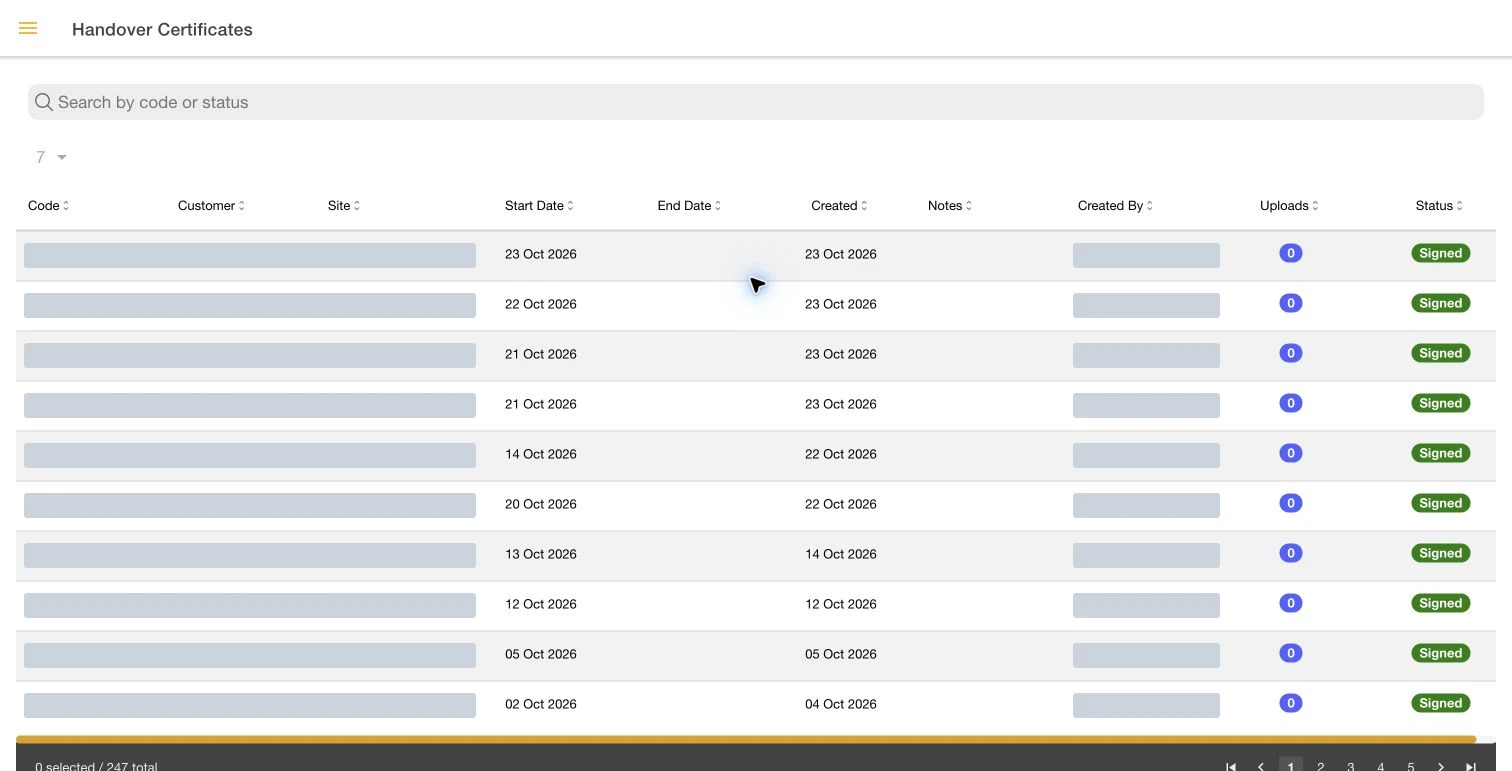
Keep sign-offs with the work

Capture field documentation and signatures so the office can follow the same records.
Inspections and handoversSample data
Illustrative layout · not an application screenshot
DocumentScaffoldRecord status
InspectionSC-001Recorded
HandoverSC-002Awaiting signature
Site instructionSC-003Recorded
  1. Find the relevant scaffold or site record.
  2. Complete the inspection or handover documentation.
  3. Review signatures and outstanding actions.
Explore this workflow →

Walk through your own process.

Bring a delivery note, stock list, or handover form to your demonstration.

Book a Demo →

Contact us

How can we help?

Book your session

Having trouble loading? Open Calendly in a new tab ↗