
See live stock
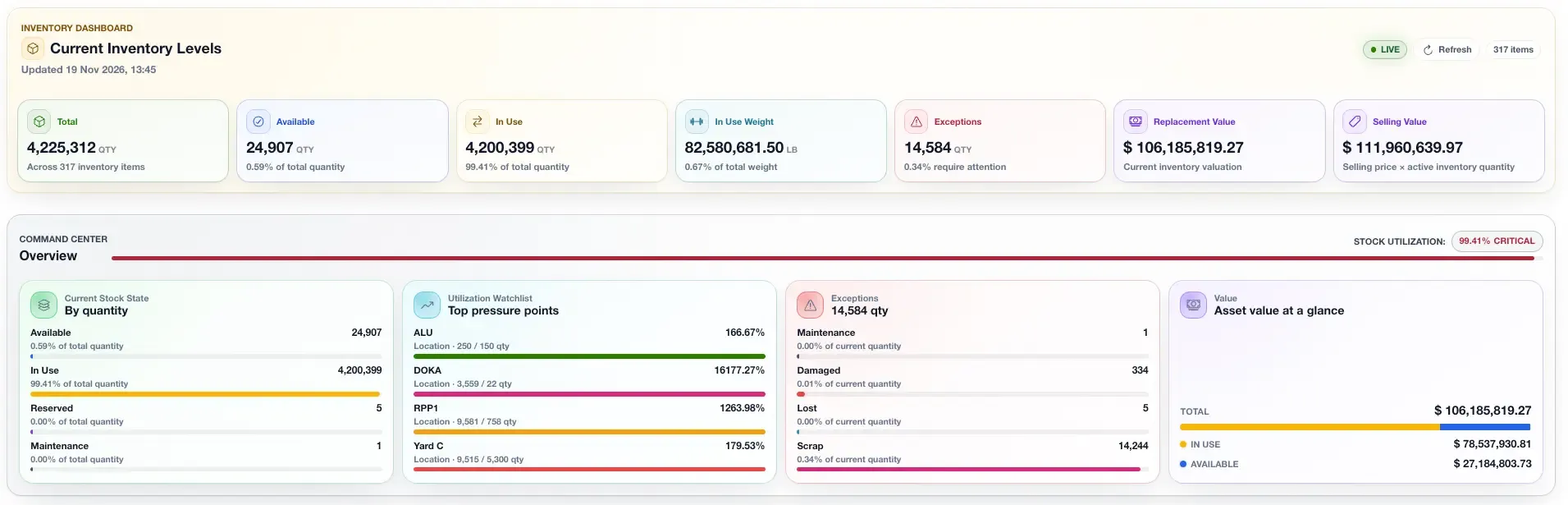
Use the realtime inventory dashboard to check yard and site stock before you plan a job.
Inventory software for scaffold and formwork teams
One live view of yard and site stock. Follow deliveries, returns and site transfers as your team records them.
Book a demo30-minute demo · No need to buy a plan

Used by Reliable Scaffolding
Read their story
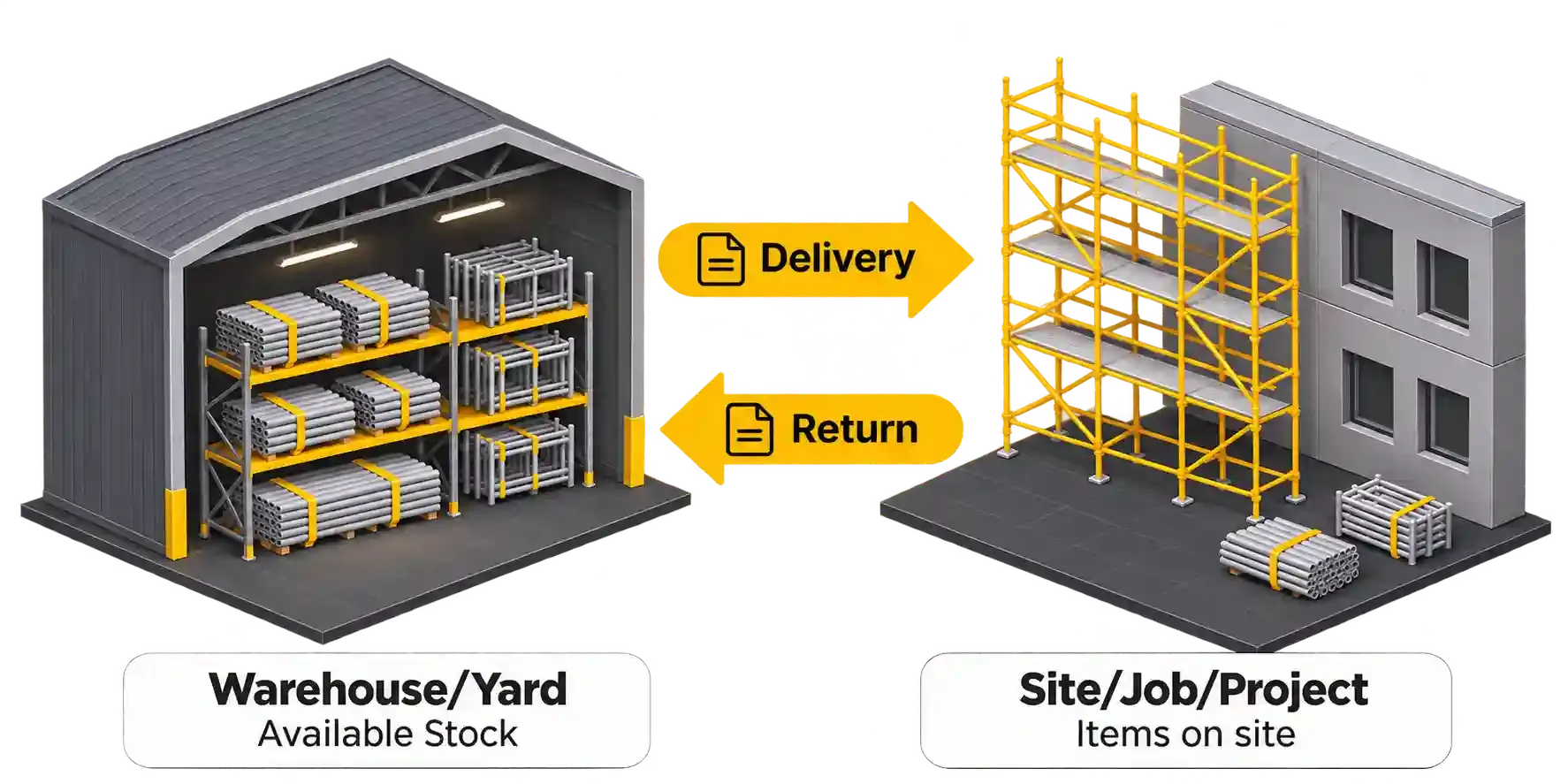
From yard to site. And back again.
In practice
Reliable Scaffolding uses CloudScaff to track stock and scaffold records. The team can see what has been delivered and what is still due.
Read the customer storyCustomer story shared by CloudScaff. Results differ from team to team.
“We absolutely love the system.”
Paper vs CloudScaff
Paper notes and separate spreadsheets make stock hard to follow. Your team has to chase updates before it can plan the next job.
Less paperwork. Clearer records.
Use the realtime inventory dashboard to check yard and site stock before you plan a job.
Send an order in more than one load. See what still needs to go.
Track returned items, their condition and repair or replacement costs by site.
Realtime inventory dashboard
Send stock out. Move it between sites. Bring it back. Each recorded move updates your dashboard.
Starting stock: 1,000 in the yard. No items on site.
| Movement | Route | Items |
|---|---|---|
| Delivery | Yard to Site A | 400 |
| Site transfer | Site A to Site B | 200 |
| Return | Site B to yard | 100 |
After all three moves: 400 delivered − 100 returned = 300 on site. Transfers move stock between sites; they do not add stock.
How it works
Setup, data migration and unlimited training are included in your subscription.
Share your site details, stock lists and starting counts.
We move your data into CloudScaff, set up your account and train your team.
Take control of your account. Ask for more training whenever you need it.
Your stock
Check stock before you plan the next job.
Your deliveries
Get alerts when requests are approved and deliveries are released or received.
The equipment request has been approved.
The yard has released the delivery.
The site has recorded the receipt.
Returned items
A return is more than a stock count. CloudScaff helps you track item condition, the site it came from and the cost to repair or replace it.
Record the items and their condition.
Keep a record of where each return came from.
Record repair or replacement costs against the site.
Choose a plan for your sites
Choose by the number of sites you use.
See all inventory management features
Lite price when you pay each month.
See all plans and payment optionsSee the demo first. Choose a plan when you are ready.
Used by Reliable Scaffolding · Read their story
Included in your subscription
Need more help? Read our terms or visit the Help Centre.
We set up your account for you. Your team takes over an account that is ready to use.
We move all your sites, stock and scaffold data into CloudScaff.
We show your team how to use the system. Get more training whenever you need it.
Bring your questions. See how it works.
30-minute demo · No need to buy a plan